Alerts and the card bell
Each service has a bell in the top-right corner of its card. It is the only thing the Presto ever writes, and it writes to your own daemon.
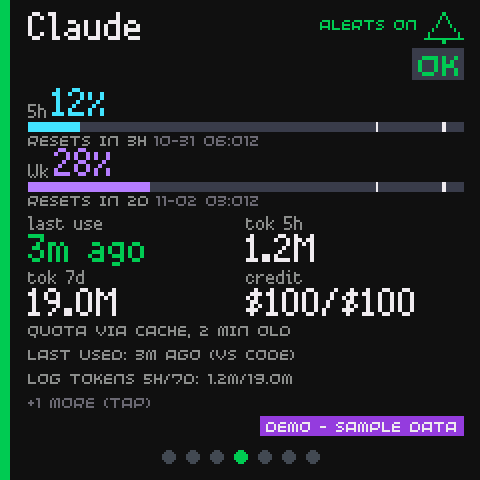
What the bell shows
| The bell | What it means |
|---|---|
Filled, in the status colour, labelled ALERTS ON |
This service can chirp, change the LED and scroll the list |
Grey with a slash, labelled ALERTS OFF |
This service's alerts are off |
Grey and crossed, labelled ALERTS OFF (ALL) |
The master switch is off, so no service can alert |
The Home row carries a small dim bell next to the name of a service whose alerts are off. The row itself is unchanged.
Tapping it
A tap on the bell switches that one service's alerts on or off. It is a large target, about 48 pixels, and a swipe over it is never counted as a tap.
- The device applies the new state at once and holds it until a payload confirms it.
- If the write fails, the state reverts and the card says
COULD NOT SAVE - DAEMON OFFLINEfor four seconds. - If the master switch is off, the tap says
ALERTS OFF FOR ALL - SEE ADMINrather than doing nothing quietly.
A tap somewhere else on the card still opens its detail view.
What the write is
POST /api/v1/alerts/<source id>
Authorization: Bearer <shared token>
Content-Type: application/json

{"enabled": false}
The rules that keep it harmless:
- It sets a state and never toggles, so a double tap or a retry does nothing extra.
- It changes only that one service's alerts on or off value. Never the thresholds, never the master switch, never anything else, and never a provider. It is a setting of your daemon, not a provider action.
- The body must be JSON, with a
Content-Lengthof at most 256 bytes, no chunked encoding, and exactly the one keyenabledwith a real boolean. Anything else is refused. - An unknown service is
404, a wrong token is401, and any method other thanPOSTon that path is405. - It has its own rate limit: 30 writes a minute per address, then
429. - The daemon logs one line at
INFOwith the sanitised client name. The token is never logged.
The write goes through the same code as the admin page's per-service control, so both surfaces agree and the last write wins.
The shared token travels over plain HTTP
The device already uses the shared token to read the status payload, so nothing new is exposed. The worst an eavesdropper on your LAN could do with it is switch the alerts of one service on or off: no provider is contacted, no quota changes, and nothing is read or written that the device could not read anyway.
On an untrusted network, put the daemon behind a reverse proxy with TLS or use a private network such as Tailscale.
The settings behind it
The master switch, the thresholds, the sound switch, the quiet hours and pop to top live in the admin page, under Settings -> Alerts. Each service can override the master and the thresholds in its own card on the Services tab.
The sound is off until you turn it on. The Sound on a new warning box
is unticked by default, so a new install is silent and the bell still works.
Tick the box (or set sound = true in dash.toml) to let the Presto chirp.
A value you already stored is respected: only the unset default is off.
The mute ends by itself. A long press on the Presto mutes the sound for
mute_hours hours (four by default, and 0 means "until you press again").
A chip in the bottom-right corner says how long is left: MUTED 3H,
MUTED 45M, or MUTED alone. The mute ends silently, a restart clears it,
and changing the length applies to the next mute.
See Alert statuses and thresholds for what raises an alert in the first place, and Configuration keys for the file and environment names.